
Andrey_Popov/Shutterstock
Key Takeaways
- Mobile check deposit lets you deposit checks by taking photos with your smartphone instead of visiting a bank branch or ATM.
- Most major banks offer this feature through their mobile apps, including Chase, Bank of America and Capital One.
- Banks typically set daily or monthly limits on mobile deposits.
- Always endorse your check properly and keep it for several days after depositing to avoid potential issues.
With mobile check deposit, instead of taking time out of your day to drive to the bank or an ATM, you can deposit checks anytime, anywhere using your smartphone and your bank’s mobile app.
This feature securely processes your check images, making it both safe and easy to use. Here’s everything you need to know about using mobile check deposit effectively and safely.
What is mobile check deposit?
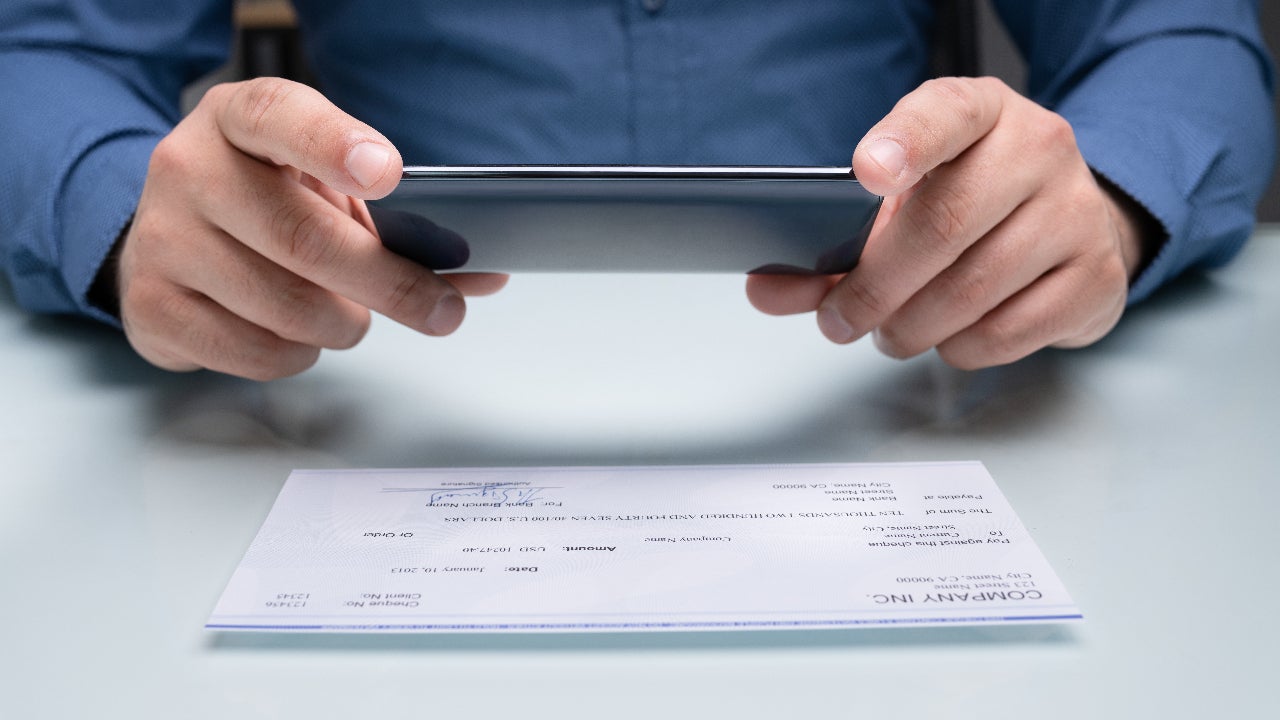
Mobile check deposit, also known as remote deposit capture in banking terms, allows you to deposit checks using your smartphone’s camera instead of physically bringing them to a bank or ATM. You simply take photos of both sides of the check through your bank’s mobile app, and the deposit is processed electronically (and the images aren’t saved to your phone).
Most major banks and credit unions now offer this feature as part of their mobile banking apps. This includes large institutions like Chase Bank, Bank of America and Capital One, as well as many smaller banks and online-only institutions.
You can typically use mobile deposit for both checking and savings accounts, though some banks may limit which account types are eligible for this service.
Is mobile check deposit safe?
Mobile check deposit is a safe way to deposit your money. The technology works by capturing high-quality images of your check, which are then encrypted and transmitted securely to your bank for processing. The bank’s systems verify the check information and add the funds to your account, typically within one to two business days.
How mobile deposit works: a step-by-step guide
The mobile deposit process is designed to be simple and intuitive. Here’s a step-by-step guide depositing your check successfully.
1. Log in to your bank’s app
Download your bank’s official mobile app from your phone’s app store, and make sure you’re logged into your account. To avoid fraudulent apps, always download from your bank’s website link or search for the exact bank name in official app stores.
2. Endorse the check properly
Before you can take a photo, you need to endorse the check by signing the back just as you would for any deposit. Some banks require additional endorsements, like writing “For Mobile Deposit” or “For [Bank Name] Mobile Deposit Only” below your signature. The bank will usually give you its specific requirements during the process.
3. Take clear photos of both sides of the check
The app will guide you to position the check within the frame and ensure proper lighting. Use a dark background to help the check details stand out clearly in the photos.
4. Review and submit
Submit your deposit by confirming the amount and account selection. Double check that the dollar amount you entered matches what’s written on the check to avoid processing errors.
Most banks provide immediate confirmation that your deposit was received and is being processed, though the funds may not be available immediately depending on your bank’s hold policies.
Understanding mobile deposit limits and timing
Banks implement various limits and timing policies for mobile deposits that differ from in-person transactions.
- Daily and monthly limits: Limits are common restrictions that vary significantly by bank and account type. These limits are typically lower than what you can deposit in person or at ATMs. Contact your specific bank to confirm your current mobile deposit limits, as they can vary based on your account type and banking history.
- Processing timeframes vary: Processing timeframes usually range from one to two business days, similar to regular check deposits. However, cutoff times for mobile deposits may be earlier than for in-person deposits. Checks deposited after the cutoff time typically aren’t processed until the next business day.
- Fund availability may be delayed: Fund availability may be delayed even after you receive deposit confirmation. Banks can place holds on mobile deposits just like regular checks, especially for larger amounts or if you’re a new customer. The hold duration depends on factors like the check amount, your account history, and the issuing bank.
Best practices for using mobile deposits
Mobile check deposits are easy and secure, and following a few best practices can give you even more peace of mind. Here are our top tips:
- Verify app authenticity before downloading any banking app. Always download banking apps directly from links on your bank’s official website or by searching for the exact bank name in official app stores.
- Keep the physical check for several days after mobile deposit. Chase recommends keeping checks for two days to address any potential processing questions.
- Use secure networks for mobile deposits. Avoid public Wi-Fi networks and stick to trusted connections like your home Wi-Fi or your phone’s cellular data connection. Public networks can potentially expose your banking information to security risks.
- Delete any photos you might have taken outside the banking app. If you accidentally photographed the check using your regular camera app, delete those images immediately. Banking apps store deposit images securely on encrypted servers, but regular photo storage isn’t designed for sensitive financial information.
Bottom line
Mobile deposit can save you time and a trip to a branch. Be sure that the amount you deposit doesn’t exceed the bank’s limit and hold onto any check for a few days after depositing it, just in case any issues arise.
If your current account doesn’t offer this feature, it may be worth researching Bankrate’s picks of the best checking accounts and best high-yield savings accounts to find one that comes with mobile check deposit and other helpful digital banking features.
Why we ask for feedback
Your feedback helps us improve our content and services. It takes less than a minute to
complete.
Your responses are anonymous and will only be used for improving our website.
Help us improve our content
Read the full article here